
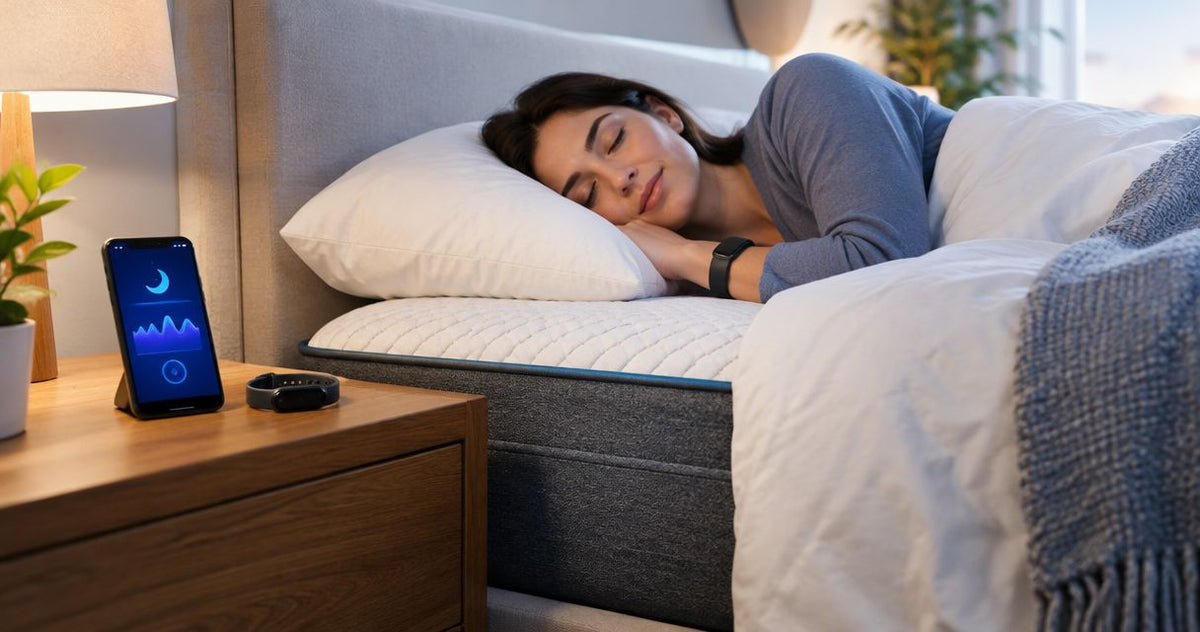
Instead of manually recording your sleep every morning, pair your sleep tracker with its companion app and use it consistently on your hybrid mattress so your overnight records collect automatically. To pair sleep tracker with hybrid mattress equipment correctly, connect the tracker—not the mattress—and check placement compatibility if the device sits beneath your bed.
By Editorial Team
- Pair sleep tracker with hybrid mattress setups through the tracker's app; the mattress itself needs no connection.
- For Aeva Vital hybrid mattress shoppers, wearable sleep trackers avoid under-mattress sensor compatibility checks.
- Under-mattress sleep sensors require manufacturer-approved placement, mattress thickness, and bed-base compatibility.
- Compare sleep duration and your morning notes before using sleep-stage estimates to judge bedding.
Why this matters
A hybrid mattress combines foam or other comfort materials with a spring support system. A sleep tracker records signals and turns them into estimates about your night. These are separate jobs: mattress construction does not establish tracking accuracy, and an app connection does not establish mattress compatibility.
For Aeva Vital hybrid mattress shoppers, a wearable sleep tracker avoids under-mattress sensor compatibility checks. It still requires correct fit, charging, and app setup. A bed sensor removes the need to wear a device, but introduces placement and bed-construction requirements.
For a 2026 setup, identify your exact tracker model before following instructions. If you are considering a bed sensor, use the mattress thickness guide to understand the bedding dimension you need to compare against the sensor manufacturer's requirements.
Before you start
- Gather the device and its documentation. Have the tracker, its required charger or power supply, the correct companion app, and access to the account that will own the sleep records. Check the manufacturer's supported phone operating systems and connection requirements.
- Confirm the physical setup. For a wearable, follow its fit instructions. For an under-mattress sensor, confirm approved mattress construction, total thickness, foundation type, and any restrictions involving toppers or adjustable bases.
- Check the non-obvious gotcha: a shared bed. Confirm how the tracker assigns records to a person. Do not assume one bed sensor can distinguish both sleepers or that two people should share one app profile.
For an adjustable bed, check compatibility before moving the base with a sensor installed. A device that fits under a flat mattress is not automatically approved for a moving support surface. Route any cable according to both manufacturers' instructions.
Choose your tracking method
The first decision is where the measurement happens: on your body or beneath your mattress. Neither category wins every setup. Choose the one whose requirements you can follow consistently.
| Tracking method | Best for | Main advantage | Main limitation | Hybrid mattress check |
|---|---|---|---|---|
| Wearable sleep tracker | Someone comfortable wearing a device overnight | Moves with the sleeper rather than depending on mattress placement | Requires suitable fit and charging | No under-mattress sensor placement check; follow wearing instructions |
| Under-mattress sleep sensor | Someone who prefers not to wear a tracker | Leaves the body free of a wearable | Requires approved placement, bedding, and bed-base compatibility | Check the exact sensor's construction and thickness requirements |
Choose a wearable when you want to avoid checking whether signals can be measured through your mattress layers. Choose an under-mattress sensor only after confirming that your complete bed setup is supported.
Do not treat a tracker category as an accuracy ranking. Accuracy depends on the particular device, the measurement being estimated, and validation evidence. A comfortable device you use correctly is also a different question from a medically validated device.
Device connection
This 2026 workflow applies across tracker categories, but app screens differ. Use the exact controls named in your manufacturer's current setup guide rather than searching for a universal mattress-pairing button.
Account and connection setup
- Install the manufacturer's companion app from your phone's official app store. Confirm the publisher so you do not enter account details into an unrelated app.
- Sign in to the intended sleeper's account. Keep separate accounts or supported profiles for different people.
- Charge or power the tracker according to its instructions. Keep it near the phone during initial setup if the manufacturer requires proximity.
- Start device setup inside the companion app. Enable Bluetooth, local-network access, or other connection permissions only when the device's instructions require them.
- Complete any required network connection and software update. Use the network requirements stated for your exact model rather than assuming every tracker needs Wi-Fi.
- Confirm that the app identifies the correct device and account before continuing.
Expected result: The companion app recognizes your tracker and shows its connection or setup status. You are connecting the tracker to its software, not connecting the mattress to Bluetooth.
Privacy and data permissions
- Read which measurements the app collects and where it stores them. Check account deletion, export, and sharing controls before enabling optional connections.
- Allow the permissions required for the features you intend to use. Do not grant unrelated access simply to clear every setup prompt.
- If you connect another health app, inspect the permitted data categories and transfer direction. Reading existing sleep records and writing new records are different permissions.
- Decide which app will be your primary place to review sleep. Avoid comparing dashboards before checking whether they use the same definitions.
Expected result: The tracker can record and synchronize the intended data, and you know which account and app hold your sleep history.
Mattress placement and fit
Placement is the physical half of the workflow. A successful account connection does not prove that the sensor is installed correctly.
Wearable fit
- Put on the tracker exactly as its manufacturer instructs. Follow the specified wrist, finger, or other wearing position.
- Check that the device stays in place without causing discomfort. Do not tighten it beyond the manufacturer's fit guidance to chase a better signal.
- Charge it at a repeatable time outside your intended sleep period. Follow its battery and charging instructions rather than assuming a particular overnight runtime.
- Keep the wearing position consistent when comparing nights. Record a change in fit or position if you make one.
Expected result: You can lie in your normal sleeping position without the tracker slipping, pinching, or interfering with comfort.
Under-mattress sensor placement
- Confirm compatibility using the sensor manufacturer's documentation. Check the mattress, topper, foundation, and adjustable-base configuration together.
- Measure the bedding thickness using the method the manufacturer specifies. Do not assume the mattress's listed height represents every layer above the sensor.
- Place the sensor in the documented location and orientation. Do not substitute a generic torso-height recommendation for model-specific instructions.
- Route its cable away from moving mechanisms and walking paths. Keep the installation accessible without creating a trip hazard.
- Complete calibration if the app requires it. Follow whether the bed should be occupied or empty during that process.
Expected result: The sensor sits in its approved position, cables remain clear, and any required calibration finishes successfully.
First-night verification
Do not judge the mattress from your first chart. Verify the recording process before interpreting the estimates.
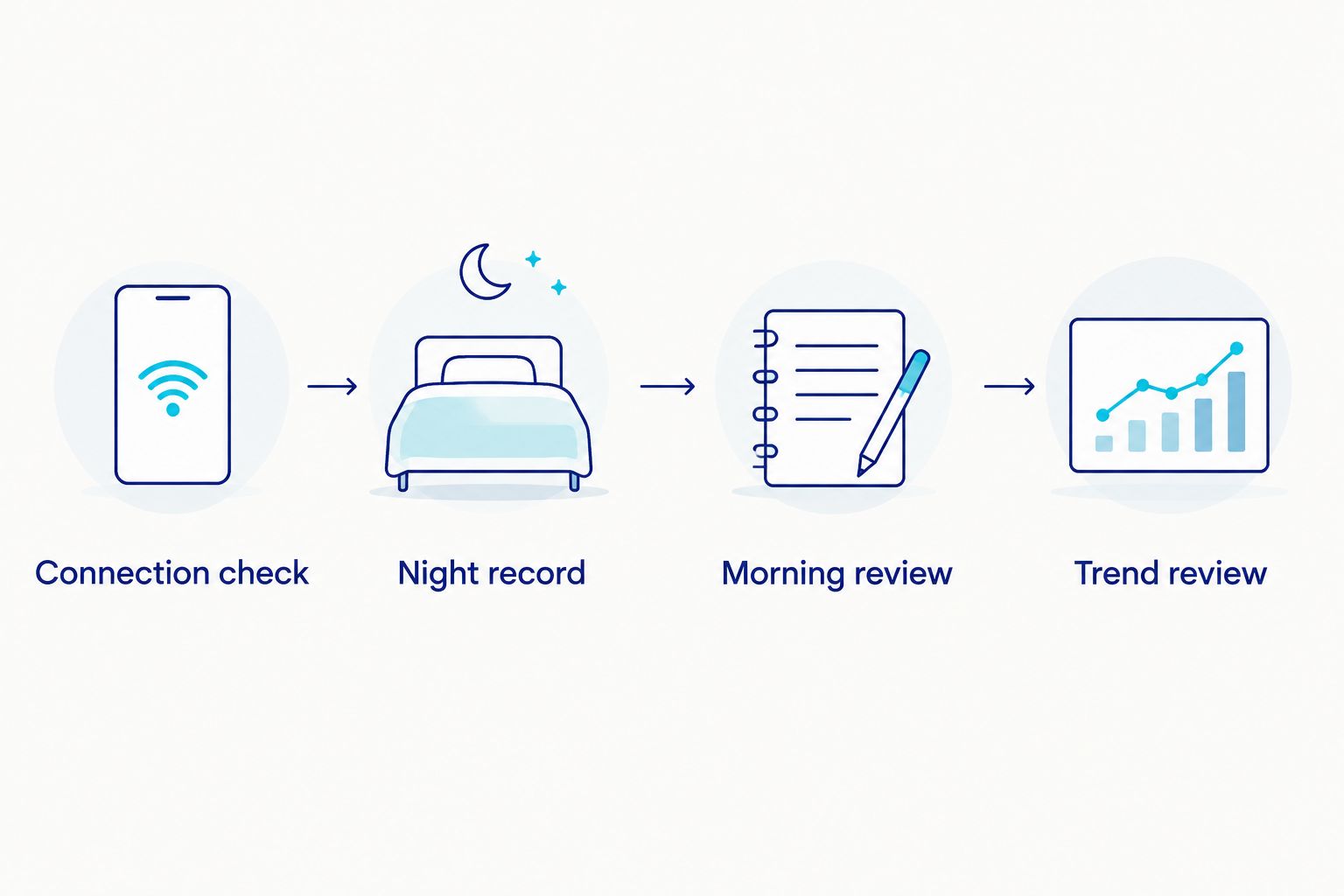
- Connection check: Confirm the tracker is ready before bed. Check power, charge, and any setup warnings.
- Night record: Use the mattress and tracker normally. Note unusual circumstances rather than trying to produce a particular score.
- Morning review: Synchronize as instructed, then check whether the record belongs to you and broadly matches your remembered night.
- Trend review: Repeat the same setup before comparing patterns or changing bedding.
For your 2026 sleep log, start with 3 fields: approximate bedtime, final wake time, and how rested you feel. These are suggested recordkeeping fields, not a device specification. Add notes about discomfort, room conditions, or interruptions when they explain the night.
As a practical observation plan, collect 7 nights before making your first comparison. That is a suggested review window, not a validated accuracy threshold. A short log helps you spot missing records and inconsistent use without assigning meaning to every score change.
Aeva Vital mattress specifications and tracker compatibility
The supplied mattress listing names the SpineAlign 12" Queen Firm Cooling Hybrid Mattress and describes high-density foam with individually wrapped coils. The title's 12-inch height identifies a dimension to check against an under-mattress sensor's requirements; it does not certify sensor compatibility.
Individually wrapped coils are springs enclosed separately in fabric pockets. High-density foam describes a foam characteristic, but without a stated density value it does not provide a numeric basis for comparing foam materials.
For this Aeva Vital hybrid mattress, evaluate comfort and tracking separately. The stated construction helps identify the mattress type. It does not prove sleep-tracking accuracy, establish compatibility with every adjustable base, or show that a sleep-stage score will improve.
The mattress's role is bedding; the tracker's role is measurement. Keep that distinction when reviewing a 2026 setup, and verify the specific sensor's requirements before placing anything beneath the mattress.
Second workflow: compare nights after a bedding change
Once recording works, use the same tracker to document a bedding change. This workflow is useful when you adjust a pillow, add a topper, or move to a different mattress; it does not establish that the change caused a medical benefit.
- Save your existing sleep records and comfort notes before changing the setup.
- Change 1 bedding variable at a time where practical. Treat this as a comparison method, not a clinical test.
- Keep the same tracker, account, and wearing position. For a bed sensor, recheck compatibility and recalibrate if its instructions require it.
- Note the change date in your 2026 log. Include obvious differences such as travel, illness, or interrupted sleep.
- Compare recorded timing with your comfort notes. Do not use a single sleep-stage estimate as the deciding vote.
Expected result: You have a dated record of what changed and how subsequent nights differed. You have not proved causation, but you have a clearer basis for deciding whether the setup feels better.
Troubleshooting
The tracker does not appear in the app
Check power or charge first, then confirm you installed the correct app and enabled its required permissions. Repeat pairing through the manufacturer's documented process. Do not assume pairing only in the phone's Bluetooth menu completes app setup.
No overnight record appears
Check whether setup finished, the device remained powered, and you followed its recording requirements. Synchronize as instructed and inspect the account's date and time settings. Resolve the missing record before changing sensor placement or replacing bedding.
The record does not match your night
Confirm the account, sleeper assignment, time zone, and device fit or placement. For a shared bed, review the manufacturer's person-assignment instructions. Keep the mismatched record separate from your mattress comparison rather than treating it as evidence about comfort.
Two apps show different sleep totals
Inspect each app's source records and definitions. Time in bed and estimated time asleep are not interchangeable. If records are duplicated, review connected-app permissions and supported source-priority controls before deleting anything.
Records changed after adding a topper or moving the base
Recheck the full bed setup against the sensor's documentation. Repeat placement or calibration only as instructed. Do not remove useful bedding solely to satisfy an incompatible sensor; use a supported tracking method instead.
Customize your workflow
Choose one primary dashboard and keep a brief comfort log beside it. Sleep-stage estimates are not a mattress firmness test, and consumer sleep tracking does not replace medical assessment. Bring persistent sleep concerns to a qualified clinician rather than repeatedly changing equipment to improve a score.
For a 2026 routine, make synchronization and charging repeatable before adding extra app connections. More dashboards create more opportunities to confuse duplicate records, different definitions, and changes in device algorithms.
Related guides
- Hybrid mattresses ranked by firmness level
- Best hybrid mattress for couples
- Best hybrid mattress for hot sleepers
FAQ
How do I pair a sleep tracker with a hybrid mattress?
Pair the sleep tracker with its companion app, not with the mattress. Wear the tracker as instructed, or install an under-mattress sensor only after confirming compatibility with your complete bed setup.
Does a hybrid mattress need Bluetooth for sleep tracking?
A hybrid mattress does not need Bluetooth for a separate sleep tracker to record your night. Any required Bluetooth or network connection belongs to the tracker and its app.
Is a wearable or an under-mattress tracker better for a hybrid mattress?
A wearable avoids under-mattress placement and thickness checks. An under-mattress sensor suits someone who prefers not to wear a device, but requires documented compatibility with the mattress and base.
Can I use an under-mattress sensor with a topper?
Use it with a topper only when the sensor manufacturer's requirements support that complete bedding configuration. Check the required measurement method and placement rather than relying on the mattress height alone.
Can two people use one sleep tracker in a shared bed?
Only use a shared-bed arrangement that the exact tracker supports. Check how it assigns measurements to each sleeper and keep personal records in separate supported profiles or accounts.
Will a sleep tracker prove that my hybrid mattress improves sleep?
A sleep tracker cannot by itself prove that a mattress caused better sleep. Compare repeated records with your comfort notes, and distinguish estimated sleep stages from your experience of rest and discomfort.
Can I install a sleep sensor on an adjustable bed?
Install it only if the sensor manufacturer supports your adjustable-bed configuration. Check placement, cable routing, and any recalibration requirements before moving the base.
What should I check when a sleep record is missing?
Check power, completed setup, required permissions, synchronization, and the correct account first. Follow the manufacturer's recording requirements before assuming the mattress is interfering with the sensor.
One last thing
A complete-looking sleep chart can still be assigned to the wrong person or interpreted using the wrong metric. Verify whose night was recorded and whether the chart shows time asleep or time in bed before judging your mattress.