
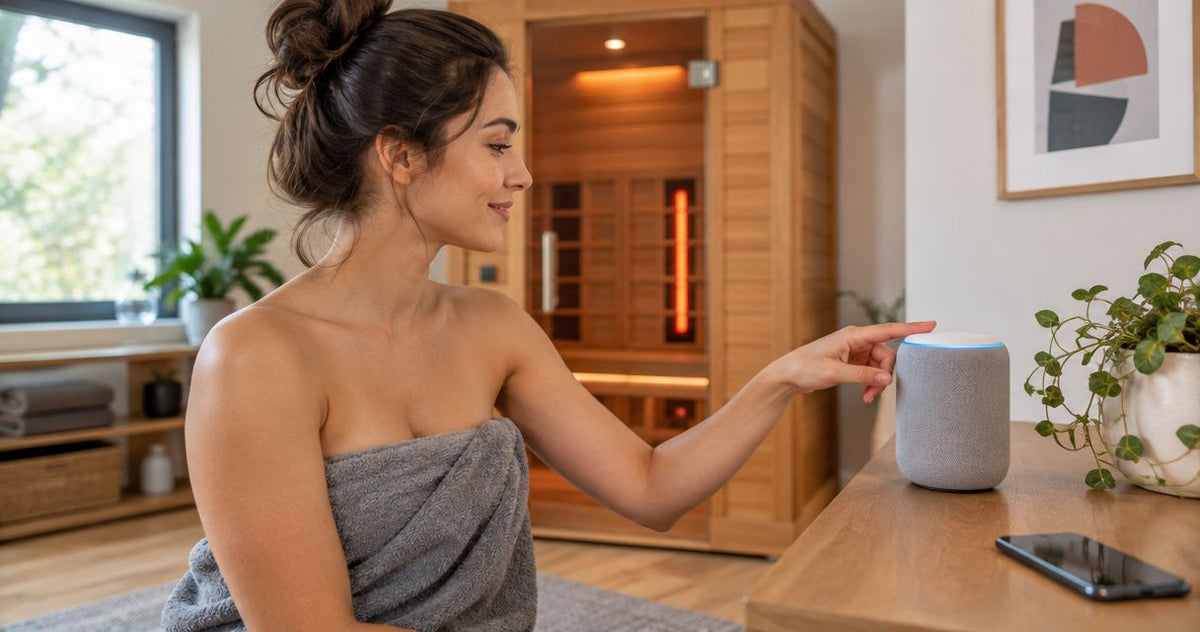
Instead of walking to the control panel every time you want to start your infrared sauna with Alexa, connect a manufacturer-supported sauna controller to your voice assistant and use a tested start command. Google Home follows the same principle: voice control must operate an approved heating control, not merely restore electrical power.
By Editorial Team
You cannot make every infrared sauna voice-controlled by adding a smart plug. Start with the controller’s documentation; the infrared sauna smart-plug connection guide covers the separate power-switching workflow, which requires its own compatibility and safety checks.
- To start infrared sauna with Alexa, use a manufacturer-supported controller integration, not an assumed smart-plug workaround.
- Google Home requires an explicitly supported integration that exposes the sauna’s heating controls.
- Aeva Vital infrared sauna heating specifications do not establish Alexa or Google Home compatibility.
- Test heating, shutdown, and the controller’s timer locally before relying on voice commands.
Why this matters
Turning on an outlet and starting a sauna are different operations. A powered control panel can remain in standby, while a heating command changes the controller’s operating state.
For your 2026 setup, treat voice control as an additional interface—not a replacement for the sauna’s timer, temperature controls, installation requirements, or physical shutdown control. An assistant’s spoken confirmation does not prove that heating has started.
Aeva Vital infrared saunas serve home wellness buyers; voice-start suitability depends on documented controller support. Capacity, wood construction, and heater type describe the sauna, not its smart-home integration.
Before you start
- Documentation and approval: Find the exact sauna model, controller model, operating manual, electrical requirements, and written instructions permitting remote heating. Confirm Alexa or Google Home support for that controller, not just for another model from the same manufacturer.
- Accounts and access: Have the manufacturer’s supported app and account, the chosen assistant app, permission to link accounts, and the network access specified by the controller’s instructions. Complete local installation before attempting voice control.
- The gotcha: A controller can expose power status without exposing a heating-start command. If remote start is prohibited, absent, or requires an unsupported modification, stop; use the physical controls and a voice reminder instead.
Do not bridge controller terminals, modify temperature sensors, or bypass a required local readiness check. A missing remote-start feature is a compatibility boundary, not a wiring problem to solve with a generic relay.
Choose your control path
For a 2026 installation, choose the path the sauna manufacturer explicitly supports. Alexa and Google Home are alternatives only when the controller’s documentation names them; neither assistant creates a feature the controller lacks.
| Control path | Best for | What it does | Advantage | Limitation |
|---|---|---|---|---|
| Manufacturer-supported Alexa integration | Households already using Alexa with a compatible controller | Passes supported voice commands to the controller | Adds voice access to documented functions | Available commands depend on the controller and integration |
| Manufacturer-supported Google Home integration | Households already using Google Home with a compatible controller | Exposes supported controller functions through Google Home | Keeps control within an existing household setup | Linking an account does not guarantee heating-start support |
| Manufacturer-approved external power switching | Installations whose documentation explicitly permits that exact arrangement | Connects or disconnects the electrical supply | Offers supply switching where approved | Supply power is not the same as a heating command |
| Manual start with a voice reminder | Saunas without supported remote heating | Reminds you to operate the physical controls | Avoids modifying the heating system | Does not start the sauna automatically |
Best for unsupported controllers: manual start with a voice reminder. Do not choose an external switch simply because its advertised electrical rating appears sufficient. Approval must cover the heating appliance, installation, switching method, and operating behavior.
Controller readiness
Complete these checks before connecting either assistant. Keep the first test local, with the sauna visible and its physical shutdown control accessible.
- Identify the controller using its label and manual. Record its model and the documented remote-control method.
- Inspect the cabin according to the manufacturer’s pre-use instructions. Remove stored items and keep required heater clearances unobstructed.
- Start and stop the sauna using its physical controls. Confirm that the display, heating controls, and timer operate as documented.
- If the manufacturer provides app control, connect the controller through that app using the specified pairing process. Use only the documented network requirements.
- Test the app’s supported start and stop functions locally. Check the physical controller rather than relying solely on an app status message.
- Record whether remote start requires local authorization or a readiness setting. Do not disable that requirement to simplify a routine.
Expected result: the approved controller works independently of Alexa or Google Home, and you know exactly which remote functions it supports. If the manufacturer app cannot start heating, an assistant integration is not the next troubleshooting step.
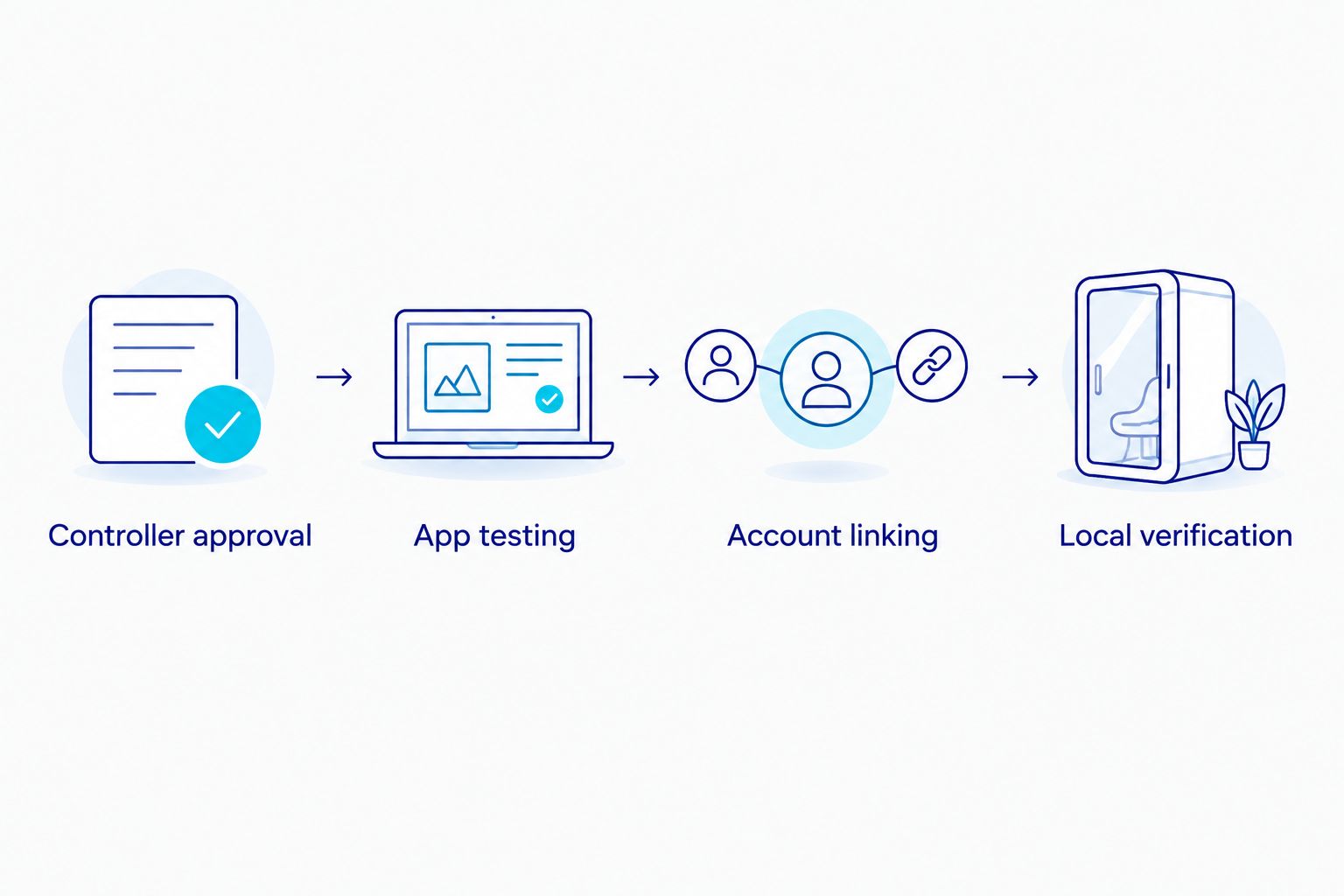
The setup sequence is controller approval, app testing, account linking, and local verification. Each stage confirms a different part of the command path.
Alexa account linking
Use this route only when the controller manufacturer documents Alexa support. In the 2026 Alexa app, an integration can expose fewer functions than the manufacturer’s own app, so verify the actual device controls after linking.
- Open the Alexa app and select More, then Skills & Games.
- Search for the integration named in the controller’s documentation. Confirm the provider before enabling it; a similar name is not proof of compatibility.
- Select Enable to Use when that control appears, then complete the provider’s account-linking process. Sign in to the account that already controls the sauna.
- Complete device discovery as directed by the integration. Open Devices and locate the imported controller.
- Give the device a distinct name, such as Sauna Controller. Avoid names shared with lights, outlets, or room groups.
- Inspect the imported controls. Confirm that the documented heating-start function is present; do not substitute a generic outlet action.
- With the cabin checked and the sauna in view, issue the manufacturer’s documented voice command. Check the controller’s display and operating state.
- Test the documented voice-stop command, then verify shutdown at the physical controller.
Expected result: Alexa reaches the approved controller, heating responds as documented, and shutdown works. If Alexa discovers only an outlet or a status sensor, this sequence has not established voice-start capability.
Do not assume a phrase such as Alexa, turn on Sauna Controller means start heating. Its meaning depends on the function the integration exposes.
Google Home account linking
Use this route only when the controller manufacturer documents Google Home support. For your 2026 setup, link the existing controller account rather than attempting to pair an unsupported sauna as a generic appliance.
- Open Google Home and find Works with Google Home in the device-add flow. The surrounding navigation depends on the app version.
- Select the service explicitly named in the controller’s instructions. Confirm that it is the service associated with your working manufacturer account.
- Complete account linking and select the intended home when prompted. Check household access before making heating controls available to other members.
- Find the imported controller under Devices. Assign a distinct device name and the appropriate room.
- Inspect the available controls. Verify that the integration exposes the manufacturer-supported heating function, not only connectivity or power status.
- With the cabin checked and the controller visible, speak the documented start command. Confirm the physical operating state.
- Speak the documented stop command. Verify shutdown locally and confirm that the physical controls still work independently.
Expected result: Google Home operates the supported heating function through the approved controller. A device appearing in the app proves discovery, not complete operating compatibility.
If both assistants are supported, finish testing one before adding the other. Separate tests make it easier to identify which account link or command mapping needs correction.
Add a voice reminder instead of a heating schedule
A second workflow suits a sauna without approved remote start: use Alexa or Google Home to remind you to inspect the cabin and start it manually. This gives you a useful voice workflow without modifying the appliance.
- Create a reminder using your assistant’s reminder feature or documented voice command.
- Name the reminder Check sauna and start manually. Keep the wording distinct from a command that claims to activate heating.
- Choose when you want the reminder delivered.
- When the reminder sounds, complete the manufacturer’s pre-use inspection and operate the physical controls.
- Use the sauna’s own timer and shutdown procedure for the heating cycle.
Expected result: the assistant prompts a manual action; it does not energize the sauna. The trade-off is straightforward: you retain a local start step instead of gaining automatic preheating.
For a controller that explicitly supports scheduled preheating, the automatic sauna preheating guide covers the adjacent workflow. Do not add a schedule until the manufacturer’s requirements for remote readiness, inspection, and shutdown are satisfied.
What sauna specifications do—and do not—prove
Aeva Vital infrared sauna specifications describe physical construction and heating arrangements. They do not establish account linking, voice commands, remote readiness, or restart behavior.
| Model | Supplied specification | What it tells you | What it does not establish |
|---|---|---|---|
| Low EMF 2-Person Hemlock Far-Infrared Indoor Sauna with Double Glass Doors | 2-person design; 7 far-infrared heating panels | Stated seating capacity and panel count | Alexa support, Google Home support, or approved external switching |
| Premium Low EMF 3-Person Hemlock Infrared Sauna – Heated Glass Door Design | 3-person design; 2-in-1 heating system using carbon panels and ceramic heating | Stated capacity and heating arrangement | Remote-start permission, controller integration, or electrical switching requirements |
The 2-person model is relevant to buyers comparing stated seating capacity; the 3-person model is relevant to buyers seeking the larger stated capacity. Neither is a verified voice-control recommendation on those specifications alone.
A 7-panel specification describes the number of heating panels. A 2-in-1 heating description identifies combined heating technologies. Neither tells you whether the controller accepts an assistant’s start command.


Troubleshooting
The assistant cannot find the controller
Check that the controller works in its manufacturer app first. Then confirm that you linked the same account, selected the documented integration, and completed discovery. Repeating discovery cannot add unsupported hardware.
The outlet turns on, but heating does not start
The control panel is receiving power without a heating-start command. Stop treating outlet status as sauna status; use the physical controls unless the manufacturer documents an approved remote-start method.
Voice control activates the wrong device
Rename duplicate devices and inspect room groups or routines containing the same phrase. Test the controller by its distinct name before putting its action into a broader household routine.
The assistant confirms a command, but the sauna stays off
Check the controller for a readiness requirement, lockout, or error described in its manual. Verify the manufacturer app separately. Do not bypass a local authorization requirement or repeatedly send start commands to an unexplained fault.
Remote shutdown fails
Stop the sauna using its physical controls and suspend voice-start use. Resolve the account, connectivity, or controller problem before another remote test. Follow the manufacturer’s shutdown instructions rather than assuming an external power cut is the normal stop method.
Customize your workflow
Keep your 2026 workflow narrow: a documented start command, a documented stop command, and a local verification process. Add reminders or other non-heating actions only after the basic command path is reliable.
Document who can issue commands and what happens when the network is unavailable. After changing accounts, replacing a controller, or editing an automation, repeat the local start-and-stop test rather than assuming the old behavior remains intact.
FAQ
Can I start an infrared sauna with Alexa?
Yes, when the sauna manufacturer explicitly supports Alexa heating control for your exact controller. A discovered device or switched outlet alone does not establish that capability.
Can Google Home start my infrared sauna?
Google Home can start heating only through a supported integration that exposes the approved heating function. Confirm controller compatibility and test the command locally before using it.
Can I use a smart plug to make any sauna voice-controlled?
No. An external switch requires explicit manufacturer approval for the appliance and installation, and restoring power does not necessarily start heating.
Does Wi-Fi mean a sauna works with Alexa?
No. Wi-Fi describes network connectivity, while Alexa control requires a supported integration and the appropriate exposed commands.
Do Aeva Vital sauna specifications confirm voice control?
No. The supplied heating and capacity specifications do not establish Alexa or Google Home compatibility; confirm support for the exact controller before planning voice start.
Why does Alexa say the sauna is on when it is not heating?
The command can be controlling supply power or another exposed function rather than heating. Check the physical controller and the integration’s documented command mapping.
What should I do if my sauna does not support remote start?
Use the physical controls and set a voice reminder for manual startup. Do not modify the controller or bypass readiness checks to create remote heating.
Is a voice command enough to confirm that heating has stopped?
No. Verify shutdown at the controller during setup and follow the manufacturer’s operating instructions; spoken confirmation alone is not a physical status check.
Related guides
One last thing
Before planning voice control for an Aeva Vital sauna in 2026, ask for the controller model and written remote-start instructions. That documentation is more useful than a generic smart-home compatibility badge because it identifies what the system actually permits.