
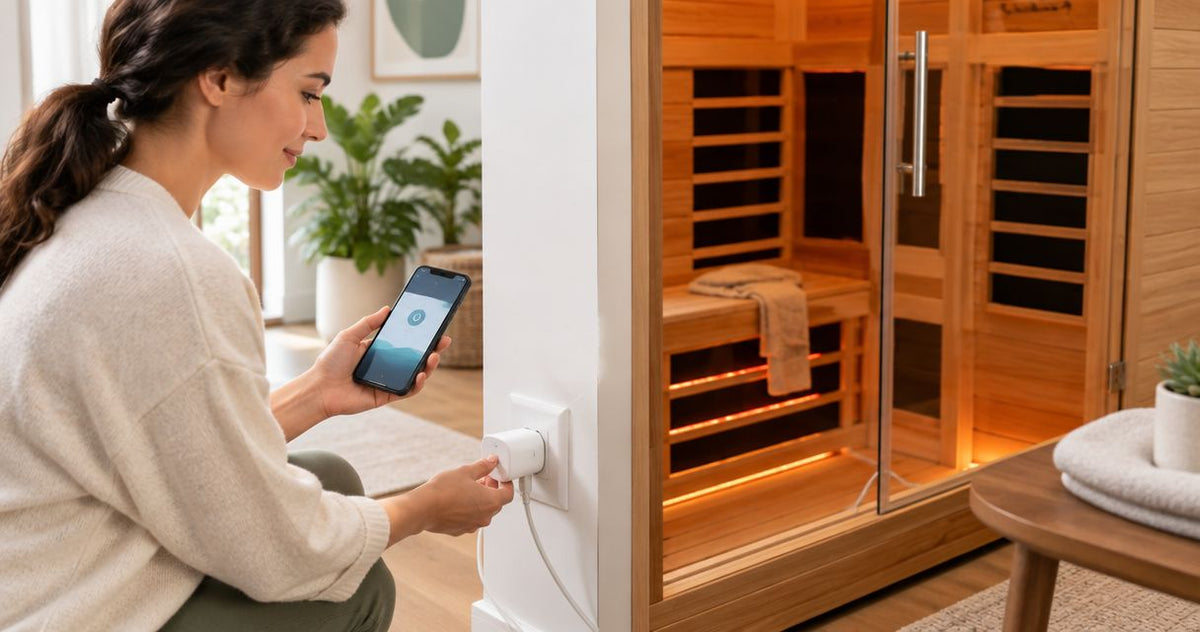
To connect smart plug to infrared sauna equipment, first confirm that the sauna manufacturer permits external power switching and that the plug is rated for the exact electrical load. Instead of walking to the outlet to switch power, configure approved local control—or use a phone reminder when switching is prohibited—without bypassing the sauna’s controls.
By Editorial Team
- Connect smart plug to infrared sauna equipment only with model-specific manufacturer approval and matching electrical ratings.
- Aeva Vital sauna capacity and heating-panel counts do not establish smart-plug compatibility.
- Restoring outlet power does not necessarily start the sauna’s heaters.
- Use a reminder instead of remote switching when external control is prohibited or undocumented.
Why this matters
A smart plug switches electricity at the outlet. It does not become the sauna’s thermostat, session timer, or safety controller. An app showing that the outlet is on proves only that the plug received a command—not that the sauna is heating safely.
For Aeva Vital infrared sauna owners, manufacturer-approved control is the best route to connected operation. Start with the exact model’s instructions, not its size or heating technology. The two-person infrared sauna guide provides selection context; electrical compatibility still requires the model’s documentation.
For a 2026 setup, separate convenience from permission. A connector that physically fits is not evidence that external switching is allowed.
Before you start
- Documentation and electrical access: Have the sauna manual, its electrical nameplate, the smart plug’s load specifications, and manufacturer confirmation that the proposed switching arrangement is permitted. Keep the outlet accessible. Ask a qualified electrician to resolve circuit or receptacle questions.
- Accounts and network access: Have the smart plug’s supported app, any required account, your home network credentials, and the plug’s pairing instructions. Follow its stated network requirements rather than assuming every Wi-Fi network is compatible.
- The restart gotcha: Determine what the sauna does after power is restored. A controller that requires a local start command cannot be turned into remote preheating simply by energizing its outlet. Do not alter or bypass that controller.
Stop before pairing if approval or electrical compatibility is unresolved. The steps below describe an approved installation, not a method for making an incompatible sauna work.
At-a-glance control options
Choose the workflow by what the sauna manufacturer permits. Each option solves a different problem, and each has a limitation.
| Workflow | Best for | What it does | Advantage | Limitation |
|---|---|---|---|---|
| Approved smart-plug switching | Owners with documented external-switching permission | Switches supply power to a compatible sauna | Adds outlet control through the plug’s app | Does not independently control temperature or prove heating has started |
| Manufacturer-supported connected control | Owners whose exact sauna supports it | Uses the sauna’s documented connected functions | Keeps commands within the intended control system | Available functions depend on the exact model |
| Reminder-only workflow | Owners without external-switching approval | Prompts you to inspect and start the sauna locally | Adds routine support without modifying the power path | Does not provide remote startup |
Choose reminder-only operation when approval is absent. Do not interpret a lack of prohibition as permission to automate a heating appliance.
Electrical compatibility record
This is the first configuration unit: establish whether the hardware can be connected at all. Save the result with your 2026 setup notes so a later app change does not obscure the original decision.
- Read the sauna’s nameplate and manual. Record its supply voltage, rated current or power, required circuit arrangement, and any restrictions on adapters or external switching.
- Read the smart plug’s electrical specifications. Check its voltage, current, permitted load types, operating environment, and instructions concerning heaters or unattended appliances.
- Confirm that the sauna manufacturer permits this arrangement. Ask about the exact smart plug and sauna model rather than requesting generic approval for a smart outlet.
- Have a qualified electrician assess uncertain wiring, circuit loading, grounding, or receptacle compatibility. Do not change the sauna’s connector or use a travel adapter to make it fit.
Expected result: You have documented permission and a compatible installation, or you stop and choose a reminder-only workflow.
What the ratings mean
Volts describe the supply; amperes describe current; watts describe power. Nominal 120-volt household receptacles are common in the United States, but that does not establish your sauna’s required supply. Read its nameplate.
A smart plug’s headline current rating is not blanket approval for every appliance drawing less current. Load restrictions and installation instructions also matter. Do not calculate compatibility from heater-panel count, seating capacity, or the circuit breaker’s number alone.
Keep every manufacturer-required grounding connection intact. If the manual requires direct connection to a receptacle, an intervening smart plug does not satisfy that instruction unless the manufacturer expressly approves the exception.
Smart-plug pairing and placement
Complete pairing without the sauna connected. This separates a network problem from an appliance problem and prevents a pairing command from unexpectedly energizing the heaters.
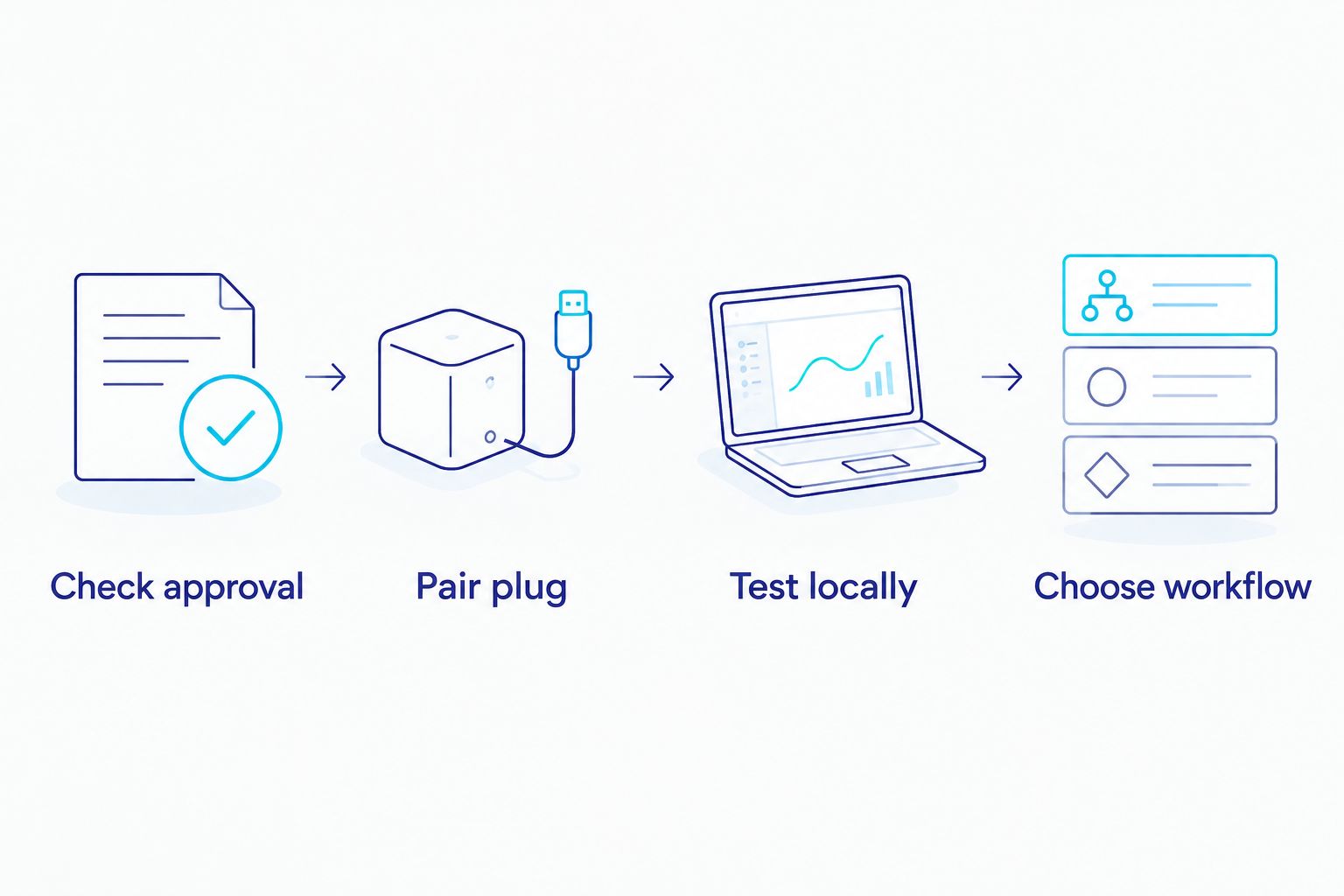
The setup sequence stays the same even though app screens differ. Use the labels shown in your plug’s current instructions; there is no universal button name shared by every smart-plug app.
- Place the smart plug at the approved receptacle, outside the sauna cabin and away from moisture or heat exposure beyond its specified operating conditions.
- Install the supported app and sign in if required. Give it only the permissions needed for the documented pairing method.
- Put the plug into pairing mode exactly as its instructions specify. Select the correct device type and connect it to a supported home network.
- Assign a recognizable device name, such as Sauna outlet. Avoid a name that implies temperature control, because the plug controls supply power only.
- With no sauna attached, use the app’s documented power control to switch the plug off and on. Confirm its local indicator responds as described in the manual.
- Leave the plug off. Disable schedules and other power-on automations before connecting the approved load.
Expected result: The app controls the empty plug reliably, and no schedule can energize it unexpectedly.
For a 2026 installation, also review device sharing. Only people who understand the sauna’s operating rules should receive permission to switch its supply.
Supervised connection and restart test
The first connected test belongs at the sauna, not across town. You need to observe both the smart plug and the sauna controller.
- Turn the sauna off using its normal controls. Follow the manuals’ connection procedure, then connect it through the approved smart plug without extension cords or additional adapters unless expressly permitted.
- Restore supply power while standing beside the equipment. Observe whether the controller remains off, enters standby, or resumes an earlier operating state.
- If the manufacturer permits a power-cycle test, follow its procedure. Record what happens when supply power is removed and restored; do not repeatedly interrupt an active session to experiment.
- Start a session locally according to the sauna manual. Confirm the sauna’s own temperature and session controls operate normally.
- End the session using the sauna’s controls. Test external shutoff only when that operation is permitted by the manufacturer.
- Inspect the installation for abnormal odor, discoloration, loose contact, or unexpected heating. Stop using the arrangement if any appears and have it assessed.
Expected result: You know the actual restart behavior and have confirmed that the approved switching arrangement leaves the sauna’s normal controls intact.
Outlet power is not a heating command. If power restoration leaves the sauna in standby, accept that behavior. Do not tape down a button, modify wiring, or defeat a safety interlock to force startup.
What Aeva Vital product specifications do—and do not—prove
The supplied description for the Low EMF 2-Person Hemlock Far-Infrared Indoor Sauna with Double Glass Doors identifies seven far-infrared heating panels and a two-person design. Those details describe heating construction and intended seating capacity.
They do not establish rated current, connector type, external-switching permission, or behavior after a power interruption. “Low EMF” is also not a smart-home compatibility specification.
For this Aeva Vital infrared sauna, keep product selection separate from electrical approval. The useful construction detail is the panel count; the limitation for this workflow is that construction details alone cannot answer the switching question.
Before buying an accessory in 2026, request the exact model’s electrical documentation and operating instructions. Do not transfer permission from a visually similar sauna or another model in the same range.
Second workflow: a reminder before each local session
A reminder is the adjacent workflow when external switching is prohibited, undocumented, or unnecessary. It changes your routine without changing the sauna’s electrical installation.
- Open your phone’s reminder or calendar application. Create a recurring prompt for the days you actually intend to use the sauna.
- Name the reminder Check and start sauna locally. Include inspecting the cabin and surrounding area before operation.
- Add a note to follow the sauna manual’s temperature, session, and shutdown instructions. Do not copy generic session settings into the reminder.
- Add a separate reminder to confirm shutdown if that helps your routine. Treat it as a prompt, not as a safety device.
- Keep the sauna connected exactly as its manufacturer requires. Remove unused smart-plug automations so an old schedule cannot later become active.
Expected result: You receive a useful prompt, while startup and shutdown remain under local control.
A calendar event also avoids confusing “start my routine” with “energize a heater.” That distinction matters when several household members share devices or voice assistants.
Troubleshooting
The plug pairs, but the sauna does not heat
Check the sauna controller locally. Restored electricity and an active heating session are different states; follow the sauna’s normal startup procedure. If local startup works but remote energizing leaves it in standby, the smart plug has not created remote-start capability.
The plug will not join the network
Check the plug’s documented network requirements, credentials, pairing mode, and signal at the outlet. Complete any reset procedure with the sauna disconnected. Do not repeatedly toggle the sauna’s supply while troubleshooting Wi-Fi.
The circuit breaker or protective device trips
Stop operation and have the cause assessed. A trip can involve circuit loading, a fault, or the installation; repeatedly resetting protection is not a fix. Do not substitute a larger breaker or bypass protective devices.
The connection smells abnormal or shows heat damage
Stop using it. Disconnect only when safe, and have the receptacle, plug, and appliance connection examined by a qualified professional. Do not hide the problem behind furniture or assume a different app setting will solve it.
The outlet turns on unexpectedly
Review schedules, shared users, voice routines, and the plug’s documented power-restoration behavior. Disable power-on automations until the cause is clear. If an appliance component requires replacement, confirm the exact requirement before using the sauna parts page; replacement parts do not establish smart-plug compatibility.
Customize your workflow
Expand convenience through reminders, clear naming, and restricted device sharing—not through more automatic startup commands. Keep a record of the approved hardware, restart behavior, and any manufacturer restrictions.
Recheck that record when you replace the plug, move the sauna, or change the circuit. A different outlet or accessory creates a different installation, even when the app retains the old device name.
For a 2026 household routine, distinguish sauna controls from room accessories. A lighting reminder is not permission to place another electrical device inside the cabin.
FAQ
Can I connect any smart plug to an infrared sauna?
No. Connect a smart plug only when the sauna manufacturer permits external switching and the plug meets the exact electrical and installation requirements. Physical connector fit alone does not establish compatibility.
Will a smart plug start my infrared sauna remotely?
Not necessarily. A smart plug restores outlet power, but the sauna can still require a local command to start heating. Confirm the exact model’s documented restart behavior.
Is a smart plug’s current rating enough to confirm compatibility?
No. Voltage, permitted load types, operating conditions, and both manufacturers’ instructions also govern compatibility. Ask a qualified electrician to resolve circuit questions.
Can I leave a smart plug inside the sauna cabin?
Do not place it inside the cabin unless both manufacturers explicitly approve that environment and installation. Use an approved location outside the cabin, within the plug’s operating specifications.
Does a low-EMF sauna label mean it supports smart plugs?
No. Low EMF describes a different product characteristic and does not establish external-switching permission, electrical load compatibility, or remote-start capability.
What should I do if my sauna needs its power button pressed after electricity returns?
Start it locally as instructed or use manufacturer-supported connected control if the exact model provides it. Do not bypass the power button or modify safety controls.
What is the alternative when smart-plug switching is not approved?
Use a reminder-only workflow and operate the sauna locally. A reminder supports your routine without introducing another device into the sauna’s power connection.
Can an app’s off status replace checking that the sauna is shut down?
No. End the session through the sauna’s controls and verify shutdown according to its manual. An app status is not a substitute for the appliance’s required operating checks.
Related guides
One last thing
The most useful discovery during setup is often that the sauna deliberately requires a local start command. Preserve that behavior unless the manufacturer authorizes another method: a reminder is a better workflow than an unsupported workaround.