
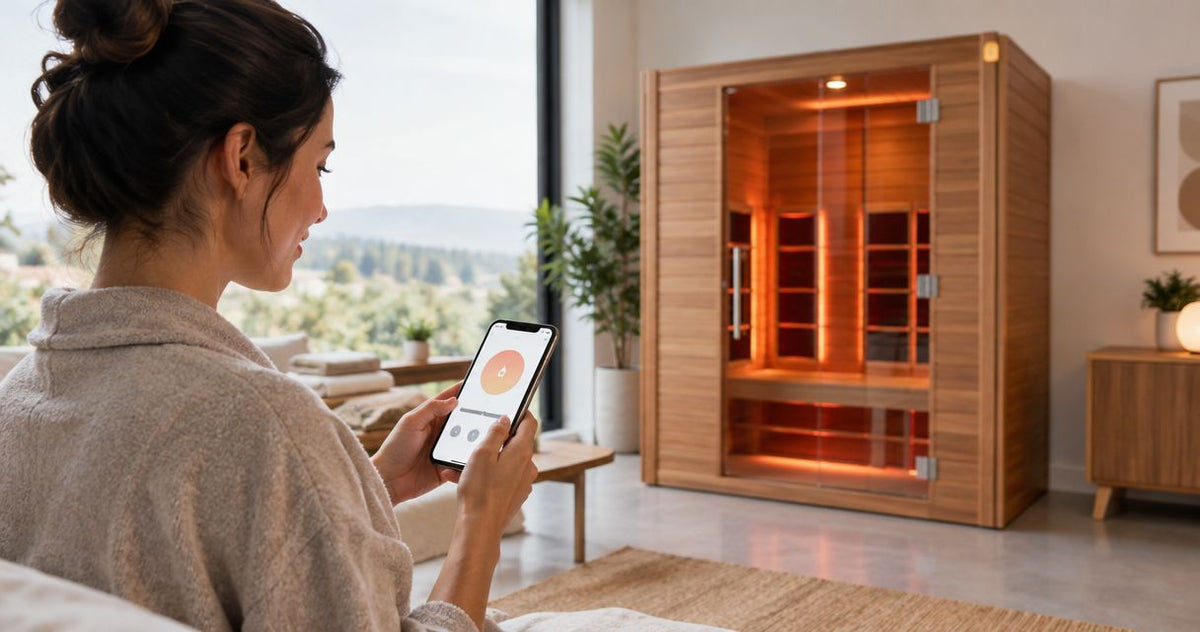
Instead of manually starting your sauna after arriving home, automatically preheat infrared sauna equipment through a manufacturer-approved remote-start or scheduling function—only when the exact model permits unattended preheating. If the manual does not authorize that operation, automate an arrival reminder instead of the heater.
By Editorial Team
A connected outlet is not the same as a compatible sauna controller. This 2026 guide explains the compatibility checks, scheduling logic, shutdown safeguards, and supervised tests you need before enabling an arrival-based workflow. Start with the room and installation requirements in the infrared saunas for small spaces guide; automation does not replace correct placement or electrical installation.
- Automatically preheat infrared sauna equipment only through controls explicitly approved for the exact model.
- Aeva Vital infrared sauna shoppers should verify remote-start compatibility before choosing an automation workflow.
- Keep the sauna’s temperature limits, safety interlocks, and automatic shutdown active.
- Use an arrival reminder when unattended heating is not authorized.
Why this matters
Restoring electrical power does not prove that a sauna can safely start heating remotely. Power supply, heater activation, temperature control, and automatic shutdown are separate functions. Your workflow must preserve the manufacturer’s intended control sequence.
An arrival trigger also cannot inspect the cabin. Before any authorized scheduled start, you must check that the heater area is clear and the installation meets the manual’s requirements. Never use location tracking as a substitute for that inspection.
For a 2026 setup, prioritize explicit permission over convenience. A timer, wireless remote, or phone connection proves only the function described in its documentation—not permission to operate the sauna while nobody is home.
Before you start
- Exact model documentation and installed equipment: Have the sauna manual, controller instructions, electrical requirements, and model identifier available. Confirm that remote starting and unattended preheating are explicitly permitted; otherwise, use the reminder workflow below.
- Access to the approved control system: If the model supports an app or scheduling service, use the manufacturer-specified account and connection method. Confirm that you can cancel heating and that the sauna’s own shutdown protection remains active.
- The critical gotcha: An outlet timer can restore power without starting the heater—or can energize equipment in an unintended state. Do not add a smart plug, bypass a control board, or modify wiring to make remote starting work without explicit manufacturer authorization.
Do not begin heater automation until all these conditions are satisfied. If the documentation is unclear, ask the manufacturer about the exact controller and model combination rather than treating silence as permission.
Choose the control route
Use this comparison before configuring anything. These are workflow choices, not claims that every sauna supports them.
| Control route | Best for | Practical advantage | Limitation | Recommendation |
|---|---|---|---|---|
| Approved built-in schedule | Predictable arrival times | Runs through the sauna’s intended controller | Requires documented scheduling and unattended-preheat permission | Use only within the manual’s operating rules |
| Approved remote-start function | Changing arrival times | Lets you initiate heating through the supported system | Requires explicit authorization and a way to confirm heating status | Use after completing supervised tests |
| Arrival reminder | Saunas without authorized remote starting | Prompts you to start the sauna after inspecting it | Does not remove the warm-up wait | Use as the default fallback |
| Generic outlet switching | No recommended arrival-preheat use without explicit approval | Can switch electrical supply | Does not establish heater compatibility or safe control behavior | Skip unless the manufacturer expressly specifies it |
A built-in schedule is simpler than location-based automation when your arrival time is predictable. Its limitation is equally clear: a schedule runs according to time, not according to whether your plans changed.
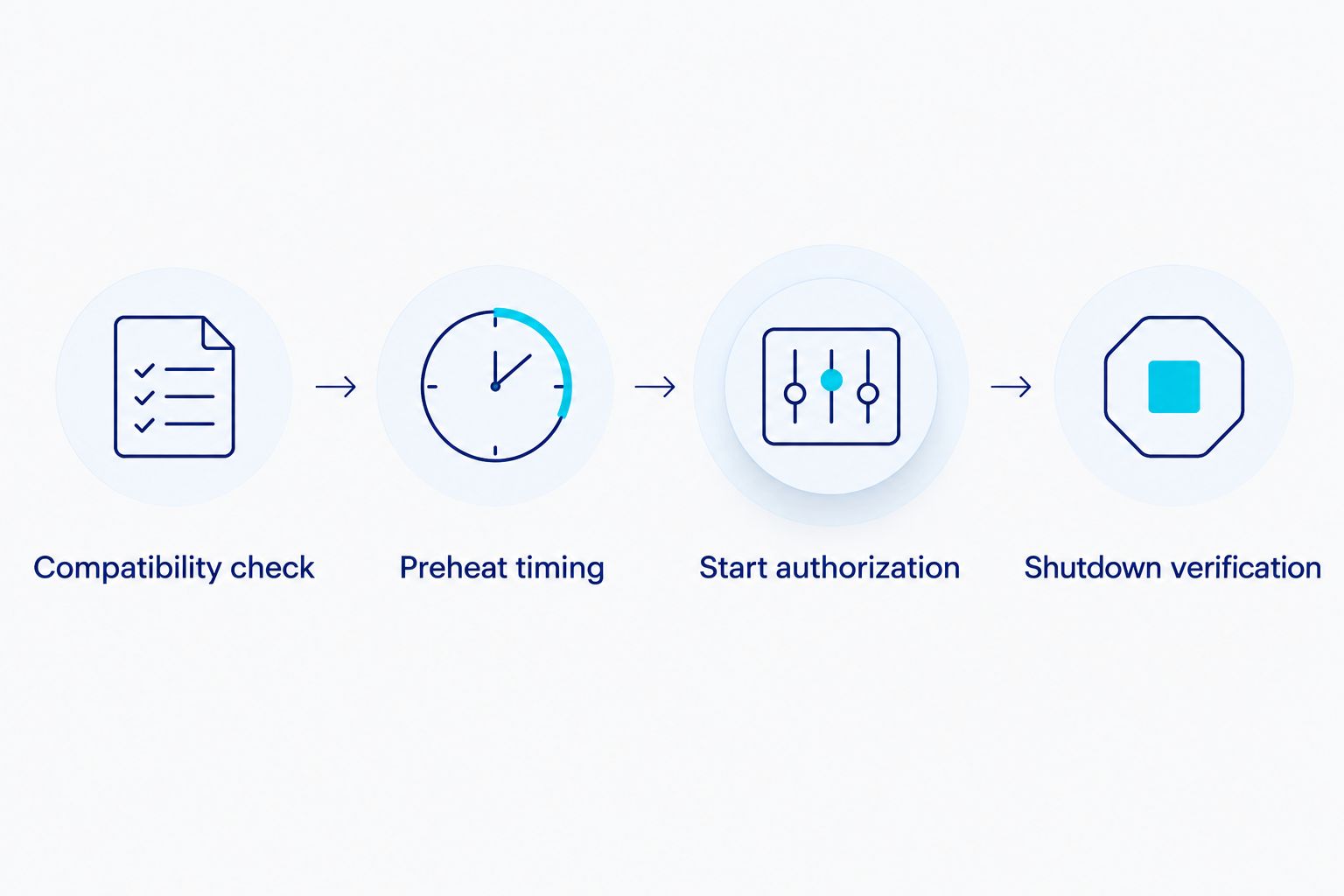
Automatically preheat infrared sauna: the setup sequence
Compatibility check
- Identify the exact sauna model and controller revision from the equipment labels and documentation. Match the instructions to that equipment rather than to a visually similar cabin.
- Find the documented remote-start or scheduling procedure. Read its prerequisites, restrictions, and shutdown behavior together.
- Confirm whether the manufacturer permits heating before anyone arrives. A remote control intended for use beside the sauna does not establish this permission.
- Check whether the supported system reports actual heating status, accepts cancellation, and preserves local safety controls. If these functions are absent, do not build a workflow around assumed feedback.
- Record the applicable instructions in your 2026 setup notes. Keep the model identifier and controller documentation with the workflow so another household member can understand its limits.
Expected result: You have an explicitly authorized control route—or a clear decision to automate reminders only. There is no improvised electrical switching in the plan.
Preheat timing
- Inspect the sauna according to its manual before a supervised warm-up. Remove anything the instructions prohibit from the cabin or heater area.
- Use the manufacturer’s documented operating controls to select an allowed temperature and operating duration. Do not copy settings from another model.
- Observe the warm-up under the conditions in which you normally use the sauna. Record when you start heating and when the cabin reaches your intended entry condition.
- Repeat the observation when room conditions change materially. Use your observed warm-up behavior rather than an unsupported universal preheat time.
- Work backward from your expected arrival time to select the permitted start time. Keep the entire heating period within the controller’s allowed duration and the manufacturer’s operating restrictions.
Expected result: Your schedule reflects your sauna’s observed warm-up, not a guessed number of minutes. Preheating remains separate from the time you spend inside.
A temperature setting is a target, not proof that the cabin has reached it. Likewise, an automation notification that a command was sent is not proof that the heater accepted that command.
Start authorization
- Follow the approved controller’s documented scheduling or remote-start procedure. Use the actual controls identified in its manual; do not substitute an unrelated automation service.
- Select the authorized start time or supported trigger. If a connection to another service is not documented, stop at the native controller’s capabilities.
- Retain every required pre-start inspection, local enablement step, and safety interlock. Never bridge a sensor or override a warning to make scheduling easier.
- Configure any supported cancellation or confirmation function using the controller’s documented procedure. If your plans change, cancel the scheduled heating rather than extending it indefinitely.
- Prevent overlapping routines by keeping a single active heating schedule for the intended session. Remove an old schedule before replacing it.
Expected result: A single authorized instruction controls the planned preheat. It cannot silently accumulate repeated starts from several household routines.
Shutdown verification
- Confirm that the sauna’s own operating timer and temperature protections remain active. A phone routine is not a replacement for equipment-level protection.
- Test the complete workflow while you remain at home and can inspect the equipment. Observe the start, heating state, cancellation, and documented automatic shutdown.
- Test a canceled session through the approved controls. Verify at the sauna that heating has stopped; do not rely solely on a dismissed phone notification.
- Review the documented behavior after a connection interruption or power interruption. Do not assume that an interrupted session resumes, stops, or retains settings unless the manual says so.
- Enable routine operation only after the observed behavior matches the instructions. Recheck your 2026 configuration after controller changes or a move to a different room.
Expected result: You understand how the approved system starts and stops, including what requires local intervention. Any unexplained behavior keeps heater automation disabled.
The sequence is deliberately ordered: compatibility comes before timing, and shutdown verification comes before routine use. A successful start alone is not a completed test.
Second workflow: send a reminder when you arrive
An arrival reminder is the practical alternative when remote heating is not authorized. It automates the prompt, not the appliance, and leaves the physical inspection and start decision with you.
- Use a location-based reminder function available on your phone. Follow that service’s current instructions rather than assuming a particular app interface.
- Set the reminder to notify you when you reach home. Write the reminder as a task to inspect and start the sauna, not as an instruction to energize a connected outlet.
- If location reminders are unsuitable, use a calendar reminder tied to your expected return time. Treat it as a prompt to check the equipment, not confirmation that heating has begun.
- On arrival, inspect the cabin and start it with the manufacturer’s normal controls. Set the permitted operating duration locally.
- Adjust or dismiss the reminder when your plans change. Do not convert a missed notification into an automatic heater command.
Expected result: You remember the preheat step without creating an unsupported unattended-heating setup. The limitation is that warm-up begins after you get home.
For shared households, assign the inspection and start task to a named person. A general reminder sent to everyone does not establish who checked the cabin.
Aeva Vital sauna specifications and their limits
Aeva Vital is best for home infrared sauna shoppers who verify controller compatibility before planning arrival automation. Choose the cabin for its documented construction and intended occupancy; evaluate remote-start permission separately.
The following Aeva Vital infrared sauna specifications describe heating construction and model capacity. None of these specifications alone establishes app connectivity, scheduling support, or authorization for unattended heating.
| Model | Best for | Stated construction or capacity | Useful distinction | Automation limitation |
|---|---|---|---|---|
| Low EMF 2-Person Hemlock Far-Infrared Indoor Sauna with Double Glass Doors | Buyers considering a 2-person far-infrared cabin | Seven far-infrared heating panels; 2-person design | Identifies panel count and intended occupancy | Panel count does not prove remote-start support |
| Premium Low EMF 3-Person Hemlock Infrared Sauna – Heated Glass Door Design | Buyers considering a 3-person cabin | Eastern hemlock; 2-in-1 system with carbon panels and ceramic heating | Identifies the stated combination of heating components | Heating construction does not prove scheduling support |
Seven heating panels describe how many panels the first model uses, not how many minutes it takes to warm up. The second model’s 2-in-1 heating description identifies a combination of components; it does not establish an arrival-triggered control interface.
For a 2026 purchase, ask about the exact supplied controller before making automation a buying criterion. Do not treat a product name, heated door, or low-EMF description as evidence of smart-home compatibility.


Troubleshooting
- Power returns, but heating does not start: Stop using outlet switching as a workaround. Use the documented controller sequence; restoring power and activating heating are different operations.
- The remote command fails: Check the supported controller’s connection and account status using its instructions. Inspect locally before retrying, and do not queue repeated commands without knowing the equipment’s state.
- The sauna is not ready when you arrive: Review your observed warm-up record, room conditions, and actual start confirmation. Do not exceed permitted settings or defeat shutdown limits to compensate.
- The schedule starts on a day you do not intend to use it: Disable the unused schedule and check for duplicate routines. Prefer a deliberate session-specific start over a recurring schedule you routinely forget to cancel.
- A protection warning or electrical fault occurs: Stop the workflow and follow the manual’s fault procedure. Do not repeatedly reset a tripped breaker, bypass a sensor, or resume heating before the cause is addressed.
Customize your workflow
Expand the reminder and planning functions before expanding heater control. Add a prompt to inspect the cabin, a reminder to cancel when plans change, and a post-session task to follow the manual’s care instructions.
Keep household access limited to people who understand the start and stop procedure. After a controller update, repeat the supervised verification instead of assuming the previous automation still behaves identically.
Related guides
FAQ
Can I automatically preheat an infrared sauna before I get home?
Only when the exact sauna model explicitly supports remote starting or scheduling and permits unattended preheating. Otherwise, automate an arrival reminder and start the sauna locally after inspection.
Can a smart plug turn my infrared sauna on?
A smart plug is not proof of sauna control compatibility. Do not use one for heater automation unless the manufacturer explicitly authorizes that exact arrangement.
How long before arrival should I start preheating?
Use the model’s instructions and your supervised warm-up observations to determine the start time. Do not assume a universal preheat duration across different saunas or room conditions.
Does a sauna timer mean remote starting is allowed?
No. A timer can limit operating duration without providing delayed starting or permission for unattended heating; check the documented function.
Can I use my phone’s location to start the sauna?
Use location-triggered heating only if the manufacturer documents and authorizes the complete control arrangement. A location-based reminder is the fallback when that authorization does not exist.
Do seven infrared panels prove that a sauna has smart controls?
No. Seven panels describe heating construction, not connectivity, scheduling, or remote-start permission.
What should I do if the sauna does not stop as expected?
Disable the automation and follow the manufacturer’s shutdown and fault instructions. Do not resume scheduled operation until the cause is addressed and the documented stop behavior is verified.
Can I use arrival automation with an Aeva Vital sauna?
Check the exact model and controller documentation before enabling arrival automation. Heating-panel descriptions, cabin capacity, and product names do not establish remote-start compatibility.
One last thing
The decisive test is not whether the heater starts—it is whether the complete workflow stops correctly and preserves every required safeguard. Make controller documentation part of your 2026 buying checklist, and keep arrival reminders as the fallback when authorization is absent.