
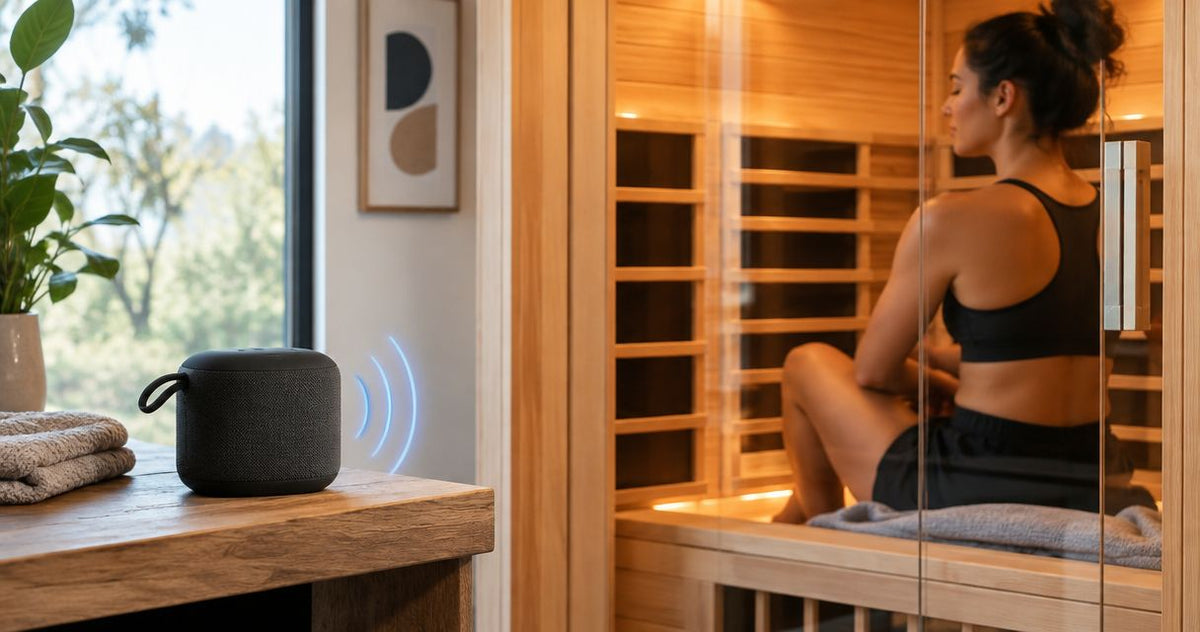
Instead of manually reconnecting audio before every session, pair Bluetooth speakers for infrared sauna use with your phone once, then check the audio output before you enter. Use the sauna’s built-in Bluetooth receiver only if its manual confirms one; otherwise, keep a separate speaker outside the heated cabin and within its manufacturer’s operating limits.
By Editorial Team
Bluetooth pairing connects your phone to an audio receiver. It does not connect a portable speaker to the sauna’s heating controls, and it does not make ordinary electronics suitable for a heated enclosure. For Aeva Vital infrared sauna owners, the best audio setup is one the model manual explicitly supports.
- For Aeva Vital infrared saunas, confirm Bluetooth audio support in the exact model manual before pairing.
- Pair your phone with the audio receiver, not the heating controller.
- Keep portable Bluetooth speakers for infrared sauna use outside the cabin unless explicitly approved for sauna conditions.
- Test the selected audio output before heating, then leave your phone outside the cabin.
Why this matters
A Bluetooth connection proves that two devices can communicate. It does not prove that either device tolerates the temperature where you place it. Waterproofing, battery operation, and wireless connectivity answer different questions; none substitutes for a documented operating-temperature limit.
Separate your audio decision from your sauna decision. If you are comparing cabins, the home infrared sauna guide provides a starting point, but the exact model manual remains the authority for audio controls, installation, and permitted accessories.
The practical goal is simple: start playback from outside the cabin, hear it clearly at a comfortable volume, and avoid handling electronics during your session. Configure the connection before heating rather than troubleshooting with the door open.
Before you start
- Have the exact sauna and audio manuals. Identify whether your cabin has a Bluetooth audio receiver, a wired audio input, or no audio system. Find the documented pairing procedure and device name before searching on your phone.
- Have a Bluetooth-capable phone and accessible audio. Choose a track or podcast you can play reliably. Download it beforehand if your listening area has unreliable internet access and your audio service supports downloads.
- Check the non-obvious gotcha: another phone can occupy the receiver. Disconnect previously paired phones before setup. Also confirm the operating-temperature limits for any portable speaker and phone; a water-resistance rating is not a sauna-use rating.
No streaming account is required for Bluetooth itself. An account or internet connection is needed only when the audio service you choose requires it. Pairing and streaming are separate parts of the workflow.
Choose your Bluetooth speakers for infrared sauna setup
There are two practical audio arrangements. Choose the one supported by your equipment rather than assuming that every sauna includes the same receiver or control panel.
| Audio arrangement | Best for | Advantage | Limitation | What to verify |
|---|---|---|---|---|
| Built-in Bluetooth audio receiver | Owners whose exact sauna manual confirms Bluetooth audio | Uses the cabin’s installed audio system without adding a portable speaker inside | Pairing controls and supported functions depend on the model | Receiver name, pairing procedure, audio controls, and installation instructions |
| Separate Bluetooth speaker outside the cabin | Owners without a confirmed built-in receiver | Keeps an ordinary portable speaker out of the heated enclosure | The closed cabin can reduce how clearly you hear it | Speaker operating limits, stable placement, and audible playback with the door closed |
Use built-in audio only when it is documented. A speaker grille, audio cable, or control-panel display does not establish that the sauna supports Bluetooth. Some audio systems use a wired input instead.
For the external-speaker arrangement, choose a stable, dry location outside the cabin. Keep the speaker and its charging cable clear of walking routes, door movement, water, and heat sources. Do not improvise an internal mount or route a cable through a closing door.
Receiver configuration
Set up the receiving device first. Your phone cannot find a receiver that is switched off, using another input, or not discoverable.
- Identify the receiver. Match the sauna model to its manual. For an external speaker, use that speaker’s instructions instead of the sauna’s control instructions.
- Power the audio system as directed. Follow the documented procedure. Do not energize heaters solely to experiment with audio, and do not open an electrical enclosure.
- Select the Bluetooth input if the receiver requires it. Use the exact control named in the manual. An input selector and a pairing control can be separate functions.
- Activate pairing mode. Follow the documented button sequence and indicator behavior. There is no universal button name or hold duration across sauna audio systems.
- Release existing connections. Disconnect other phones from this receiver if they reconnect before your phone can pair.
Expected result: the receiver shows the discoverable-state indication described in its manual. If that indication never appears, resolve the receiver setup before changing phone settings.
Keep the receiver’s documented name handy. Nearby televisions, headphones, and speakers can appear in the same Bluetooth list, so selecting a plausible name is not a reliable identification method.
Phone pairing
Pair your phone while you are outside the cabin and can reach the audio controls safely. Keep the sauna unheated during this initial connection check.
- Open the phone’s Bluetooth settings. On an iPhone, open Settings, then Bluetooth, and turn Bluetooth on. On Android, open the Bluetooth device-pairing screen; its location and labels vary by phone manufacturer and software version.
- Find the documented receiver name. Compare the displayed name with the receiver manual. Do not select the sauna’s name by assumption if the manual identifies a different audio-module name.
- Select that receiver. Accept the pairing request if your phone displays one. Enter a code only when the receiver instructions specify it; do not guess a universal sauna PIN.
- Confirm the active connection. Check that the phone identifies the intended receiver as connected, not merely saved in its device list.
- Start a familiar audio track. Begin at a low volume so an unexpectedly loud connection does not surprise you.
Expected result: the phone shows an active Bluetooth connection to the intended audio receiver. Sound should come from the selected built-in system or external speaker, not from the phone.
A saved device entry means the phone remembers the receiver. It does not mean the receiver is currently connected or selected for playback. Verify both before treating pairing as complete.
Playback configuration
A connected receiver can remain silent when your phone sends audio somewhere else. Check the output route before resetting anything.
- Select the correct audio output. Open your phone’s playback-output selector and choose the receiver you just paired. Disconnect headphones if they are taking the audio instead.
- Check both volume controls. Raise the phone’s media volume gradually, then adjust the receiver’s volume if it has an independent control. Follow the manual rather than assuming both controls move together.
- Close the door and listen from your normal seat. Keep portable electronics outside the heated cabin. Confirm that an external speaker remains audible without excessive volume.
- Test pause and resume. Use your phone to confirm that playback behaves as expected. Do not assume cabin buttons support track changes or playback control unless the manual says so.
- Set notification preferences. Use your phone’s supported notification or focus settings if you want fewer interruptions. Check exceptions for calls and alerts rather than assuming they are all silenced.
Expected result: your chosen audio plays through the intended receiver, at a comfortable level, with the door closed. You can pause it without changing the sauna’s heating settings.
The setup sequence is Receiver setup, Phone pairing, Output check, then Playback test. Complete that sequence outside the heated cabin before making audio part of your normal routine.
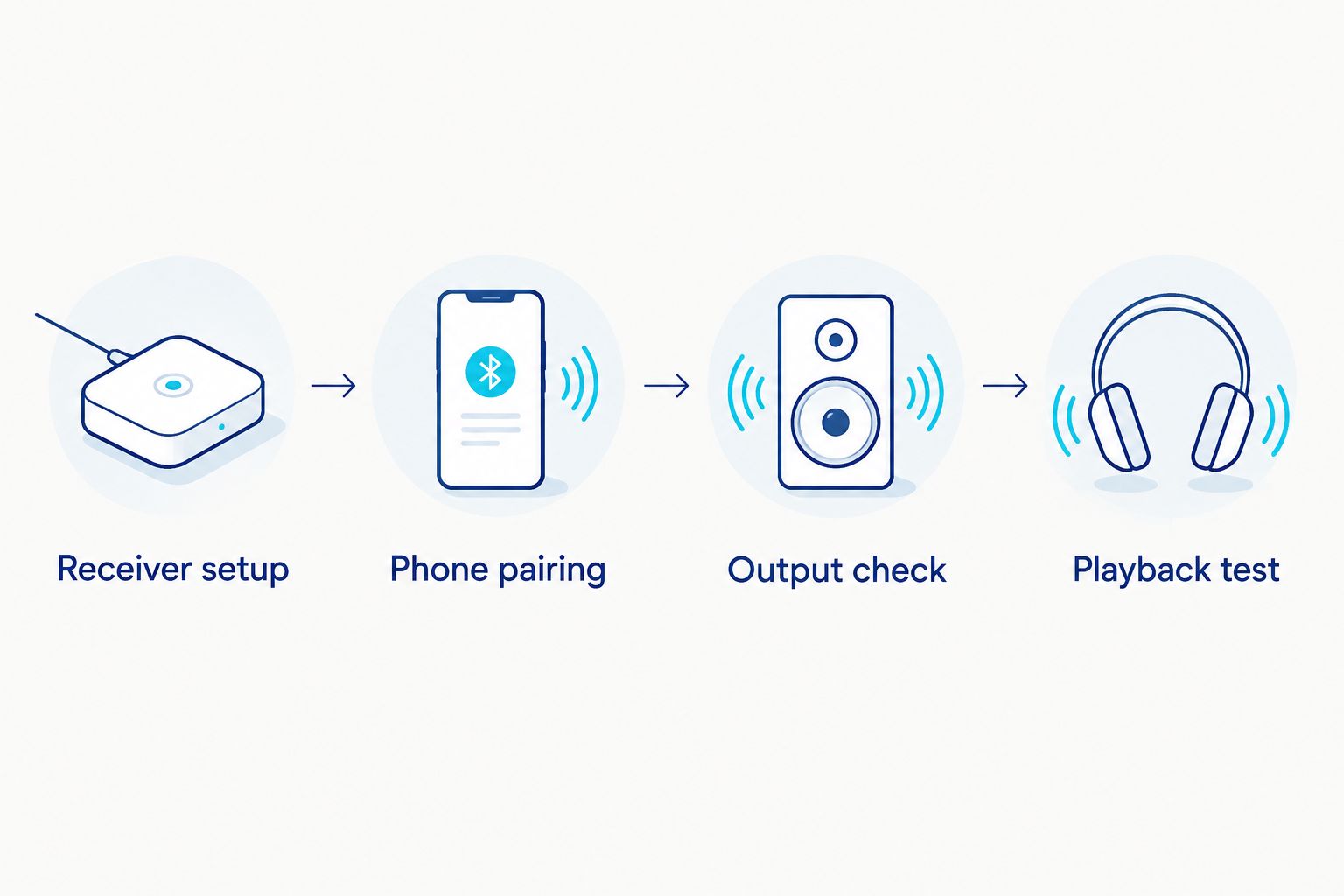
Reconnect whenever you start another session
Repeat-session listening is the adjacent workflow: use the saved pairing rather than setting up a new connection each time. Automatic reconnection depends on the receiver and phone, so test the behavior instead of assuming it.
- Power the audio receiver using its documented procedure.
- Enable Bluetooth on the previously paired phone.
- Select the saved receiver if it does not reconnect automatically.
- Start playback and confirm the output route before entering.
- Leave the phone outside the heated cabin in a dry location within its operating limits.
Expected result: the saved receiver reconnects without a fresh pairing request. If it repeatedly asks for new pairing, check the receiver’s memory and reset instructions rather than repeatedly deleting the phone’s entry.
For a shared household, disconnect the previous listener before connecting the next phone. Do not assume the receiver supports simultaneous sources or multipoint connections. Those are separate features that require confirmation in the receiver documentation.
What the Aeva Vital sauna specifications establish
Aeva Vital offers infrared saunas, but seating capacity and heating construction do not establish Bluetooth compatibility. Use those specifications to evaluate the cabin, then verify audio separately against the exact model documentation.
| Model | Stated specification | Best for | What it establishes | Audio limitation |
|---|---|---|---|---|
| Low EMF 2-Person Hemlock Far-Infrared Indoor Sauna with Double Glass Doors | 2-person design; seven far-infrared heating panels | Buyers comparing a two-person hemlock cabin | Stated seating category, heating-panel count, and door configuration | These specifications do not establish Bluetooth support |
| Premium Low EMF 3-Person Hemlock Infrared Sauna – Heated Glass Door Design | 3-person designation; 2-in-1 heating system using carbon panels and ceramic components | Buyers comparing a three-person cabin with that heating construction | Stated seating category and combined heating-system description | These specifications do not identify the receiver or pairing controls |
The seven-panel specification describes heating hardware, not the number of speakers. Likewise, a 2-in-1 heating system does not describe wireless connectivity. Choose the cabin for its documented construction; choose the audio workflow for its documented receiver.
Before selecting either model, obtain confirmation of the audio system, its controls, and the applicable manual. A model name containing “Low EMF” is not a substitute for an audio specification or a quantitative measurement report.


Troubleshooting
The receiver does not appear
Confirm that the receiver is powered, set to the correct input, and in its documented pairing mode. Disconnect other phones that have connected to it. Restart discovery on your phone only after the receiver indicates that it is discoverable.
The phone connects, but there is no sound
Check the playback-output selector, phone media volume, receiver volume, and mute settings. Play another audio file to separate an app problem from a connection problem. A connected status alone does not confirm an active audio route.
Playback switches to another device
Disconnect competing headphones or speakers and select the intended receiver again. If another household phone takes the receiver connection, disconnect that phone before reconnecting yours. Check the manual before attempting any multipoint setup.
Playback cuts out with the door closed
Move the phone and external speaker to unobstructed positions outside the cabin and test again. Compare downloaded audio with streamed audio to distinguish a Bluetooth interruption from an internet interruption. Do not move electronics into the heated cabin to fix reception.
The speaker or phone shows a temperature warning
Stop using the affected device and follow its manufacturer’s cooling instructions. Relocate it away from the heated enclosure before another test. Successful playback is not evidence that a device is operating within its temperature limits.
Customize your workflow
Prepare your listening queue before the session and keep volume changes to a minimum. Use the receiver’s documented controls where available, but do not add unsupported voice-control or remote-start assumptions to the audio setup.
If your routine also includes water-based equipment, review the infrared sauna-to-cold-plunge workflow. Plan audio placement independently: keep portable electronics away from splash zones and do not run charging cables through wet areas.
For shared use, write down the documented receiver name and the connection sequence. That small instruction card is more useful than asking every listener to identify an unfamiliar device from a crowded Bluetooth list.
FAQ
How do I connect Bluetooth speakers to my infrared sauna?
Pair your phone with the sauna’s documented Bluetooth audio receiver, or pair it with a separate speaker kept outside the heated cabin. Activate the receiver’s pairing mode, select its documented name on your phone, and verify the playback output.
Can I put a portable Bluetooth speaker inside an infrared sauna?
Use a portable speaker inside only if its manufacturer explicitly approves the sauna conditions and placement. Otherwise, keep it outside the heated cabin and within its documented operating limits.
Does a waterproof speaker tolerate sauna heat?
A waterproof rating does not establish heat tolerance. Check the speaker’s operating-temperature limits and explicit sauna-use guidance separately.
Do all Aeva Vital infrared saunas have Bluetooth speakers?
Confirm Bluetooth audio support for the exact Aeva Vital infrared sauna model before choosing a pairing workflow. Seating capacity, heating-panel count, and wood construction do not establish receiver compatibility.
Why is my phone connected to the sauna but not playing sound?
The phone can be connected while sending playback to another output. Select the intended receiver, check both media and receiver volume, and confirm that the audio app is playing.
Do I need Wi-Fi to use Bluetooth sauna speakers?
Bluetooth pairing itself does not require Wi-Fi. Streaming audio requires an internet connection, while downloaded audio can play without one if your audio service permits it.
Can two phones connect to the same sauna speaker?
Simultaneous phone connections require receiver support for that feature. Unless the manual confirms it, disconnect the current phone before connecting another.
Can I leave my phone inside the sauna while music plays?
Keep your phone outside the heated cabin unless its manufacturer explicitly permits the conditions. Confirm playback before entering and place the phone somewhere dry within its operating limits.
Related guides
One last thing
A saved Bluetooth pairing is not a safety approval. Before your next session, check three things separately: the receiver is connected, the correct output is selected, and every portable electronic device remains within its manufacturer’s operating limits. That check matters more than whether music played successfully last time.